
Cost Reduction Ideas for Your Next PCB Assembly Project

Are you looking for ways to reduce the overall cost of your next PCB assembly project? If your answer is a ‘yes,’ you are in the right place. 

A fundamental way to contribute to your organization financially is by adopting cost-effective methods to reduce the total cost of printed circuit board assembly projects. You can take many steps to reduce the cost of a PCB assembly project. 

3 Smart Cost Reduction Tips for PCB Assembly Project

Although you can surely make some internal changes in the assembly process and find the vendors offering competitive rates, here are the three most essential tips above all.

Tip # 1 – Providing Multiple Sources for Each Component of the Circuit Board

You must always avoid a single source to procure your components as much as possible. Why? There are several advantages to having multiple procurement sources. 

For instance, you can ensure greater availability of components required for distribution with multiple component procurement sources. Moreover, you can also have the leverage to bargain for components’ costs due to competition in the market. 

The biggest problem associated with single sourcing is, you can end up with a shortage of parts. This may hinder your manufacturing process. Thus, you can always select an alternate source immediately. This will save you both time and additional operational costs. 

Tip # 2 – Optimizing and Establishing Flexible Panelization Process

Always keep your panelization process flexible to the manufacturers’ needs. You must ensure that your PCB panelization process is optimizable as per the requirements of your PCBA manufacturer.

For example, you have a 6-up panel, meaning it can make 6 PCBAs simultaneously. There will be four mounting holes in the corners with .127 diameters; you can comfortably process 6.5 X 4.25 panels with .127 pins for mounting. 

However, if your company uses .250 pins, you must have panels that are 12-up instead of 6-up. It is cheaper to have flexibility in your factory equipment to adopt than to maintain your original design. 

Tip # 3 – Qualifying Lower Costs Sources Rapidly

You must set up a PCB assembly process to qualify cheaper procurement sources between circuit board design engineering and component purchasing departments. However, this sounds easier than it actually is as the conflict between design engineers and the procurement team’s priorities can impede the entire process. 

One of the most effective solutions to this problem is to establish a materials cost reduction committee. The management partners up with both engineering and purchasing departments to identify highly effective cost reduction opportunities. 

Moreover, they also work together to identify strategic and most essential components. This will help them locate multiple sources for these components to ensure a continuous supply for production. 

Final Thoughts

Now that you know three smart tips to reduce your next PCB assembly project’s cost, use them to your advantage. Not only will you be saving money, but these tips will help you optimize your manufacturing timeline. We are here to help with your PCB assembly needs. Reach out to us today!
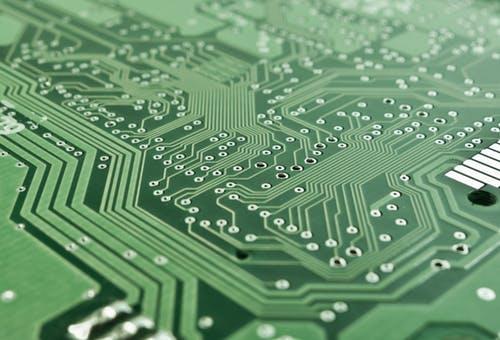
All the Key PCB Assembly Terms Defined

Having a fundamental understanding of important PCB (printed circuit board) terminologies can make collaborating with a Printed Circuit Board manufacturing organization much easier and quicker.

Although this list of PCB assembly terms is not all-inclusive or comprehensive by any means, it is still a great resource for your reference. Read on! 

Annular Ring

Generally, there are two Printed Circuit Board drill hole types you can bore during fabrication. One is the NPTH (non-plated through holes) that you use for installation and mounting purposes. The other one is PTH (plated through holes) for VIAs that are current-carrying. 

The annular ring is basically a copper region around the drill hole. It ensures there is a solid connection for VIAs and offers spacing for the application of solder mask.

Manufacturer Part Number

MPN (manufacturer part number) is an identifier for every component on your PCB board and is unique for every component type. The manufacturer part number is different from the reference identifier. The latter identifies every particular component in the BOM of the board and its precise location on the said board. Not to mention, there can be many components with varying reference identifiers having the same Manufacturer Part Number. MPN’s traceability is one of the chief ways of ensuring the integrity of the supply chain. For the development of PCBA, component selection is probably the most crucial task, as a fully successful operation is contingent on the reliability and quality of components. 

Board Thickness

The board thickness is one of the most important terms when it comes to PCB assembly. It is basically the board’s total height (not including the present components). It is common knowledge that the circuit board size (in the horizontal plane) has been reducing to accommodate smaller electronic products and devices demand. The capability to route more signals that enable more functionality and complexity is the chief determining factor for the total number of layers in the multilayer PCB stackups and hence the usage of the greater thickness of the board. 

Copper Weight

Copper weight indicates copper foil thickness on every layer of a Printed Circuit Board. It is generally expressed in copper ounces/ square foot.

Controlled Impedance

Nowadays, more applications are employing IoT (Internet of Things) devices that generally need higher speed transmission of signals. Hence, controlling impedance on the transmission lines of your PCB board has become a very critical consideration for the integrity of the signals. You can accomplish PCB impedance control by matching material impedances and trace to minimize interference and optimize signal fidelity. 

Assembly Drawing

This particular drawing is a reference that depicts the Printed Circuit Board’s assembly. These assembly drawings will often include component placement with the construction methods, technologies and parameters required to make it happen. 

Advantages of Using VIA in Pads

With advancements in electronic applications and products, VIAs play a significant role in interconnecting layers within a printed circuit board. There are three main types of VIAs. 

  • Through Hole VIA
  • Blind VIA
  • Buried VIA

Each of the three has its specific functions and attributes, contributing to PCBs’ overall optimal performance. However, VIA in pad is a popular choice in small scale BGA and PCBs.

Due to the need for high-density Ball Grid Arrays (BGAs) and the miniaturized SMD chips, the use of VIA in pad technology is on the rise. 

What is VIA in Pad?

VIA in pad is a PCB design technology that increases PCB density, allowing higher component density (particularly in BGA and SMT IC area). 

In PCB design, a VIA is a pad with tiny plated holes on a PCB. These holes connect copper tracks on different layers of the circuit board. 

However, VIA in pad is more mainstream in BGA packages becoming tighter without using traditional “dog bone” land pattern to transfer signals from BGA footprint to a VIA. From here onward, VIA is responsible for passing it to other layers. 

You can drill VIAs directly into the footprint pad, allowing a much simpler route by direct soldering. However, you must ensure to call out this process in the fab notes. You can typically use VIA in pad for signal testing. 

Advantages of Using VIA in Pad

There are several advantages associated with using VIA in pad printed circuit boards. Firstly, it is ideal for increasing the PCB density, lessening inductance, and using a more refined pitch package. As you place VIA directly below the device’s contact pad, you can achieve superior routing and greater part density. 

Compared to blind and buried VIAs, other benefits of using VIA in pad are:

  • Applying to a fine pitch BGA
  • Promotes space-saving and achieve higher density PCBs
  • Improves thermal dissipation
  • Provides coplanar and flat surface (with components attached)
  • Lower inductance due to the absence of dog-bone pads
  • Increases the voltage handling capabilities of the VIA

However, you must confirm with your PCB manufacturer if they have adequate fabrication equipment for VIA in pad. 

When Should You Use Via in Pad?

If you are using small pitch components, routing them using VIA in pad makes the printed circuit board routing as compact as possible. Moreover, it can also simplify the routing for complex LGA and BGA packages. 

You can even place components such as bypass capacitors closer, which minimizes the surface routing and parasitic inductance. Additionally, the ground places and power paths are shorter when using VIA in pad, which helps minimize EMF emissions of a high-frequency design. 

VIAs in pad can also impact your heat management. Generally, high powered surface mount components have a thermal pad mounted to the PCB. Thus, dropping VIAs through the board to the other side of your PCB will increase the copper area to facilitate heat release. 

At Nova Engineering we are well versed in this technique. Call us today!

PCB Finishes – Hot Air Solder Leveling

If you are involved in the PCB – “printed circuit board” industry, you must already understand that these boards have copper finished surfaces. In case if they are left unprotected, the copper will start oxidizing and deteriorating, making your circuit board unusable. 

The surface finish helps form an interface between the PCB and the component. This finish has two significant functions – the protection of exposed copper-based circuitry and providing a solderable surface during the assembling of the components to the PCB. 

What is Hot Air Solder Leveling?

Hot Air Solder Leveling or HASL was once hailed as a tried, tested, and true way to produce consistent and quality PCB assembly results. That said, the ever-evolving and increasing circuit board complexity and density of components have pushed the capabilities of all horizontal soldering systems to their maximum limits. 

HASL is probably the most common type of printed circuit board surface finish used within the industry in the modern era. The Hot Air Solder Leveling finish composition is in the proportions of 37 percent lead and 63 percent tin. However, you can also use HASL for a lead-free finish; all it takes is a minor tweak to the entire process. 

HASL Process

This type of PCB surface finish is applicable by first dipping your circuit board into a pot of molten lead/tin alloy after the application of the solder mask. The next step is the removal of excess solder via Hot Air Leveler (HAL) using hot-air knives that results in leaving behind a thinnest possible layer. 

The job of this remaining thin solder layer is to protect underneath traces from corrosion. The finish also facilitates the activity of soldering your components to the circuit board during the printed circuit board assembling process via pre-tinning the pads on your board. 

Hot Air Solder Leveling is one of the most cost-effective PCB surface finishes compared to other finishes types available in the market. Therefore, it is a recommended and preferred choice of surface finish for general purpose PCBs. 

Although considered a separate type of surface finish in its own right, we can discuss a little about Lead-Free HASL. It is identical to HASL in both usage and appearance; however, the solder in LF-HASL contains a mix of 0.6 percent copper and 99.3 percent tin. 

This alloy has a higher melting point for lead-free soldering in comparison to leaded soldering. This raises the need for a slight modification to the reflow soldering operation in your printed circuit board assembly solution. 

Lead-Free HASL is a viable replacement for the traditional lead sourced soldering process but only used when you require a RoHS compliant circuit board. You must also remember that you will need a laminate material with a high temperature to apply this type of finish. Otherwise, the rest of the soldering process is similar to HASL.

In the past years, Hot Air Solder Leveling was the most in-demand and popular PCB surface finish. It was due to two main qualities, i.e., robust solution, and low cost. 

However, the recent evolution and fundamental changes to the printed circuit board industry introduced more complex and advanced surface mount technology (SMT), which exposed the shortcomings of HASL.

You cannot use HASL with fine pitch SMT circuit assembly because of the incompatibility between the uneven surfaces and fine pitch components. Although a lead-free HASL solution is not available in the market, there are several other options that you can use to achieve highly reliable products. 

Pros & Cons of HASL

There are certain advantages and disadvantages to using HASL, and they are:

Advantages

  • Widely available
  • Low cost
  • Excellent shelf-life
  • Easily re-worked

Disadvantages

  • It produces uneven surfaces
  • Not an ideal solution for fine pitch components
  • Poor wetting
  • Not ideal for PTH or Plated Through-Hole
  • Thermal shock

Still Worth it

HASL still stays relevant, and one of the lesser-known and unintended benefits of HASL is the exposure of your PCB to higher temperatures of up to 265⁰C. This will help identify potential delamination problems before you attach any expensive components to the board. 

How to Panelize your Boards for Assembly

So you have managed to sketch the perfect printed circuit board (PCB) assembly design. You cautiously created a layout of your components and respective traces for optimal thermal and EMC/EMI considerations. You even ensured that your PCB fits perfectly and conveniently within the secure socket of your product. 

However, there is just one issue. You contact your regular fabrication house only to find out, the transfer conveyors they have on their production machinery cannot process single boards. They inform you that your conveyor width has to be 2 inches or more. 

Eager to get your order, chances are their sales liaison will recommend you to make your design bigger or try PCB panelization. 

However, the designed enclosure on your product does not have ample margin for expansion of the width of your PCB. Even if it could, the price to do so for a single board will be too steep. PCB panelization is an ideal solution for such situations. 

Let us find out what PCB panelization is and how it can be helpful for your manufacturing needs. 

What is PCB Panelization?

It is a technique used in the manufacturing process. This process enables smaller manufactured boards connected en-masse as a single array. The whole exercise makes it easier to transition through the assembly line. 

There is another term used for PCB panelization known as “Array.” In other words, it is a process of combining your single printed circuit board multiple times to create a larger array of boards connected together. It is also known as “stepping out.” 

The whole process of PCB panelization is reversible; hence you can easily remove or de-panelize boards individually from the array for installation or packing into a product. Alternatively, you can also use panelization to create an edge around an individual board to increase the width that fits the assembly line. 

Factors to Consider

If you wish to reap the benefits of panelization in a mass production environment, it is essential to embed the following design considerations in your PCB assembly. 

PCB-Array Strength

There is a tradeoff when it comes to the array’s integrity and ease of de-panelization during the product. Increasing your per array board count can also increase the strength while reducing the vibration. 

Component Layout

Placement of all the connectors and components, especially the ones hanging off the board’s edge, can limit panelization options. Be thoughtful of where you locate the sensitive SMT components on the edges.

PCB Shape

The board’s shape can cause complications in the panelization process. Rectangles are ideal; however, if your board’s shape is complex, using a CAD program can help you fit an unusually shaped PCB into the desired array. 

Tooling Holes

Breakaway process edges and arrays can provide you spaces for tooling holes. It will help you run automated testing on your PCB assembly line. 

How to Panelize Your PCBs for Assembly

There are two ways to panelize your PCB for assembly.

V-Groove

Using V-groove panelization, you use a triangular saw to cut approximately one-third into each side of your PCB panel. It leaves you with a thin sector for FR4 that holds PCBs together, so you can separate them using a simple tool.

You can only use this panelization process on designs with straight lines separating all the PCBs. But you cannot use the v-groove technique if PCB components are hanging over the edges of any of the boards. Using V-groove panelization would damage your board. 

However, V-groove is a faster route to panelize your boards, plus it adds little space to the overall size of your panel, reducing the costs. 

Tab-Route Panelization

For boards that are inseparable by straight, simple lines or if a PCB design involves multiple boards with various designs, tab-route panelization is the solution. It is a far more flexible strategy for board panelization. 

In this process, you use a router for cutting through FR4 between PCBs. It leaves small tabs to hold all the boards together when going through the assembly. You can break these tabs apart by hand or using de-panelization tools 

Tab-route allows your boards to have components overhanging from the edges. Typically, a tab-routed PCB has a series of holes, making the separation of the boards easier.

At Nova Engineering, we are ready to help you with any PCB orders or issues you may have. Contact us today!

Common Mistakes When Placing a PCB Assembly Order

PCB assembly is one of the major components on your purchase list if you are an owner of a company that manufactures or produces electronics products. Outsourcing some of your electronic components can turn out to be your worst nightmare if not handled correctly. 

If you choose the wrong contract manufacturer (CM) for purchasing printed circuit boards assembly (PCBA), you may end up shipping a product that does not work at all or works incorrectly or sporadically. It can damage your reputation for being non-compliant with the industry’s standards. 

Hence, you must find the right contract manufacturer to give your business a competitive edge over others in your niche. For that, you will have to steer clear of some of the common mistakes most companies make. 

Five Common Mistakes to Avoid When Placing A PCB Assembly Order 

Here are five mistakes you must never make when you place an order for PCB assemblies. Avoiding these blunders will help you garner the most out of a CM partnership. 

Rushing CM Decision

If you are in the manufacturing business and produce original equipment, looking to hire a contract manufacturer, you must be vigilant and thorough in your search. Take your time to weigh in all the options, along with their benefits as well as drawbacks. 

Do not rush and make a precise list of what you need. You can schedule interviews with all prospective CMs and evaluate them to determine which PCB will work best for you. Be as detail-oriented during the interview as you can, and take your time. It will help you spot any red flags before you enter into a contractual relationship. 

Failing to Clearly State Your Project Objectives 

As you may already know, communication is vital for a profitable CM partnership. Failing to state or conveying your project’s objective with clarity to your contractual manufacturer can sink your business. Too often, OEMs suffer because they either give out confusing or vague project plans or descriptions. 

It results in a product with inconsistencies or errors in specs, colors, and materials. Therefore, save yourself from the pain of wasting your precious time and money by clearly expressing what you need in the first interaction with the CM. 

If you choose a professional and the best contract manufacturer to place your PCB assembly orders, they will carefully review your documentation prior to starting the project. 

Having Little Trust in Your CM

In order to outsource your PCB assembly from a CM, you will need to demonstrate a certain degree of trust in them. Of course, it is critical as you hand over your blueprints, plans, and ideas to a third party so they can produce a PCB assembly according to your desired specifications. 

To establish a fruitful partnership, you must feel confident and comfortable to hand over some control to the CM. Giving some freedom to your contractual manufacturer can pave the way for unusual ideas and innovations to boost your brand. 

However, if you believe you cannot trust the CM you are working with, it is time to switch. 

Opting for the Lowest Rates

Always looking for the best bargain is not a wise thing to do when placing an order for your PCB assembly. The lowest rates often fail to translate into exceptional quality; be aware of contractual manufacturers offering lower prices. 

If it seems too good to be true, it is because it probably is. Instead of choosing a CM based on the prices, look for someone who can ensure long-term profitability. Good prices come with consistent, high-quality PCB assemblies.

It is unwise to compromise quality and jeopardize your reputation just to save a few bucks. 

Outsourcing Overseas

Do not commit the mistake of outsourcing your PCB assembly from overseas just to save money. Not all overseas CMs offer low or bad quality PCB assemblies, but it is alarming if they offer cheaper rates. 

Additionally, sending your sensitive product plans and personal information oversea can leak your intellectual property. Therefore, do not risk it and trust a local U.S. based contract manufacturer to place your PCB assembly order for a reliable supply chain. 

Fab and Assembly Drawing Standards

Both Fab and assembly drawings are useful to communicate various information to your vendors. The fabrication drawing contains information on how to build the printed circuit board (PCB). While your assembly drawing depicts details on how several components are going to fit on the raw PCB. 

However, there are certain standards that you must follow, so your vendors can understand the instructions. 

fab and assebly drawing board.jpeg

Basics of Fab and Assembly Drawings

First, whether it is a fabrication or assembly drawing, you will begin from the same place in both cases. Here are some general items you will need for both Fab and assembly drawings. 

Board Outline

It is the outline for the design of your circuit board from a layout database. Typically, it includes cutouts and slots to define dimensions on your fabrication drawing. You will also use this outline to reference components on an assembly drawing. 

Drawing Format

While some of the CAD systems may require you to utilize a library part as a drawing format, others will auto-generate a drawing format. It does not matter which of these methods your CAD system executes. You will have to combine this produced format with your PCB layout to build your drawing. 

Identification Information

Usually, the drawing format will have one or multiple areas to add a drawing identification number, board name, revision level, contact data, creation date, and corporate address. 

Now let us look at the specifics needed for both Fab and Assembly drawings. 

Key Elements for Both Drawings

Elements for Fab Drawing

We will look at the fabrication drawing first. Here are some of the key features that you must include in your Fab drawing. 

Drill Locations

Every hole in the board for vias or pars needs representation in your drawing. Your CAD system usually auto-generates these holes diagrams. However, your fabricator will be using the NC drill file sent for actual holes’ locations. 

Hole Chart

This chart is also known as the drill schedule. It associates each hole size via using a unique drill symbol. 

Board Layer Stackup

This one provides a cut-away view of your board with its layer structure. Pointers detail the width and configuration of all conductive layers on the board, including any associated core layers and prepreg. 

Dimensions and Notes

Dimensions show the overall size of your board, along with different features within and around the board’s outline. The notes give specific instructions to the fabricator that it cannot include elsewhere. 

Elements for Assembly Drawing

Let us look at what standards you must follow for an assembly drawing. 

Component Outlines 

It is best to display the shapes of all the components along with the reference designators for soldering onto your board. It also includes mechanical parts that will need press-fitting or attachment with mounting hardware. 

Sometimes, these parts might not get accurate representation in the footprint library. So it may require a little drafting and drawing efforts from you. 

Additional Views

These are usually required in double-sided boards as they need a view of both back and front. Both views are a part of one assembly drawing. You can also include expanded views with details of mechanical parts. 

Manufacturing Labels

All manufacturing labels, including assembly tags and barcodes, will need identification via pointer and must have a reference in the assembly notes. 

Assembly Notes

These entail manufacturing instructions, including industry specifications and standards, assembly details, and locations of special features. You can also add a list of all parts on the manufacturer’s request. 

You can always modify or change the elements mentioned above for Fab and assembly drawings as per your requirement. Creating a checklist will ensure that you have not left out anything. 

If you have any questions about the standards/elements that every Fab and assembly drawing must adhere to, we’re here to help. Reach out to us today!

BGAs – What Are They?

What is a Ball Grid Array?

You may have heard the term BGA. Not sure what it means? We have you covered. BGA, short for ball grid array, is a specific type of surface mount technology (SMT). In most cases, BGA packages are used by professionals to mount different types of devices, like microprocessors, permanently. This is done by melting balls of solder between the circuit board and face of the device.

Did you know that a BGA can easily provide more interconnection pins than you can put on either a dual in-line or flat package? The great thing is that professionals can use the whole bottom surface of the device, instead of only the perimeter, and this is very convenient. The appearance of most ball grid arrays stems from people’s high expectations for modern electronic products with various functions, small size, high performance, and lightweight. 

Also, it is worth noting that ball grid arrays comprise several overlapping layers. These have one to more than one million multiplexers, flip-flops, logic gates, or other circuits.  Note that BGAs vary considerably. Certain BGAs, for example, have no connections in the center. In contrast, other BGAs have pins located all across the bottom of the package. Keep in mind that you can accomplish manual routing without creating any breakout pattern for simpler BGAs that have greater pitch and more space in the center of the BGA.

Alignment of Soldier Balls

Note that a ball grid array aligns its solder balls in a grid under the bottom surface of the connected device. This is unlike the dated perimeter-only package type that usually places soldering pins right along the edges of the device.

The benefit of this approach is that it leaves a significantly smaller or more compact footprint on the Printed Circuit Board (PCB), inducing better electrical and thermal properties compared to a conventional perimeter-style mounting package. You can imagine that the popularity of this format has considerably grown in line with the rapid miniaturization of electronics.

Benefits of BGAs

Makes the Most of PCB Space

Did you know that the use of BGA packaging usually means the involvement of fewer components? Also, note that smaller footprints can help save the space on most custom PCBs. And this is excellent as it highly improves the effectiveness of any PCB space.

Better Thermal Performance

This is another crucial benefit. The compact size of PCB based upon BGA packaging allows heat to be dissipated more quickly and easily.

Note that when you mount silicon wafer on top, then most of the heat can easily be transmitted down to the ball grids. And when you mount the silicon wafer at the bottom, then the back of that wafer is securely connected to the top of the packaging. And this is one of the most effective heat dissipation methods.

Reduces Costs

There is no doubt that the efficient and effective use of PCB space offers opportunities to save material and enhance thermoelectric performance at the same time. This is important as it helps ensure the overall quality of various electronic components and reduces the risk of defects.

Better Electrical Performance

The fantastic thing about BGA packaging is that it has no pins that can be broken or bent, which makes BGA packaging sufficiently stable so that you can ensure the electrical performance on a large scale.

Increasing Use of BGA

Using BGAs is very rational because it is quite straightforward, while other technologies have had their share of issues.  For example, the traditional quad flat pack style packages featured very closely spaced and thin pins. And this configuration causes a number of serious difficulties. Some of them are as follows.

Damage

The pins on a Quad Flat Package (QFP) are very thin. This is why professionals have to control the positions of these pins very carefully. As a result, any mishandling is likely to lead to the displacement of these pins, and when it happens, they are very difficult to restore.

Soldering Process

Due to the extremely close spacing of these QFP pins, meticulous control of the soldering process is needed; otherwise, contacts may be easily bridged.

If you have any questions about using BGA’s in your design or how we work with them for your assembly please give us a call.

Nova Engineering, Inc. ISO 9001:2015 & 13485:2016 Certification

Nova Engineering Inc. was recently recertified as an ISO 13485:2016 medical device contract manufacturer. In addition, they qualified for a dual certification as an ISO 9001:2015 manufacturer. Both surveillance certifications were attained after a stringent audit by an independent certification registrar.

Manhar Karsanbhai, President of Nova Engineering stated that, “Nova has developed a Quality Management System that delivers consistent and reliable quality products. Implementing these standards drives efficiency and effectiveness of the company operations.”

Extensive training and communication of the quality process has ensured this product reliability. Nova is metrics driven, measuring on-time service, product performance, and customer satisfaction. These metrics drive continuous improvement in our quality performance.

ColoradoBiz magazine honored Nova Engineering, Inc. of Golden, CO with special recognition

ColoradoBiz magazine, published by WiesnerMedia, LLC, has honored Nova Engineering, Inc. of Golden, CO with special recognition in its selection of the “2014 Made in Colorado Top 250.” The announcement appeared in the March 2014 issue.


A spokesperson from Nova Engineering, Inc. commented on the recognition: “This is quite an honor for us. The fact that ColoradoBiz included Nova Engineering, Inc. in its selection of “2014 Made in Colorado Top 250,” signals that our constant efforts towards business excellence are paying off. We are proud to be included in this recognition.”


Founded over 35 years ago as a custom contract electronics manufacturing facility, Nova is dedicated to the crafting of quality electronic and electromechanical (box level) assemblies. Nova’s Rocky Mountain foothills facility is located just west of Denver. They have a proud history serving medical, industrial, telecommunications, instrumentation, aerospace and environmental monitoring customers.


Following the publication of Nova Engineering, Inc.’s selection for Colorado Biz’s 2014 Made in Colorado Top 250 list, American Registry, LLC seconded the honor and addedNova Engineering, Inc. to the “Registry of Business Excellence™.”


For more information on Nova Engineering, Inc., located in Golden, CO please call (303) 670-1025 or visit www.novaenginc.com.